
There are many devices, apps and tools that can help with communication, mobility and daily life. This section highlights practical options that families have found useful, with a focus on accessibility and real‑life relevance.
Many of the resources featured in our Tech & Tools section can be downloaded directly to your device. If you use an Android phone or tablet, you can find apps in the Google Play Store. If you use an iPhone or iPad, apps can be found in the Apple App Store. Some resources may also be websites, software, or devices that can be accessed through the links provided. If you need any help finding, downloading, or setting up a resource, please get in touch and we’ll be happy to support you.
Reading, communication and information access
Technology can help make everyday tasks more accessible, from reading information and following conversations to navigating public spaces. The tools below are examples of apps and services that can support independence and confidence.
Reading and accessing information
These tools support reading text and accessing written or visual information in everyday life.
Seeing AI
A smart camera app that reads text, recognises documents, identifies products, and describes scenes.
Envision AI
Reads text and provides audio descriptions of the environment. Can also be used with Envision Glasses for hands-free support.
Speechify
Converts written text into speech, useful for reading documents, websites, and PDFs in an audio format.
Magnifier (built-in)
Most smartphones include a built-in magnifier using the camera, with zoom and brightness controls.
NowYouSee
An iOS app that uses filters and contrast adjustments to help distinguish colours and enhance visibility in different environments.
ReBokeh
An iOS app that allows you to adjust blur, contrast, and focus in real time, helping bring important details into clearer view.
Conversation and speech access
These tools support real-time communication, helping with conversations and understanding spoken information.
Otter.ai
Provides live speech-to-text transcription for conversations, meetings, and lectures. It can also create notes that can be reviewed afterwards.
Live Transcript
a free, real-time speech-to-text tool designed to make conversations accessible for deaf or hard-of-hearing users.
Accessing public spaces and information
These tools support independence in public and unfamiliar environments by helping users access information around them.
NaviLens
Uses printed codes in places like transport hubs and public buildings to provide audio directions and location-based information.
Be My Eyes
Connects users to sighted volunteers through live video to help with tasks such as reading signs, navigating spaces, or identifying items.
Mobility and Navigation
These tools and supports can help with moving around safely, planning journeys, and building confidence in different environments. What works best will depend on experience, environment, and individual needs.
Mobility is not just about technology. Many people use a combination of training, physical aids, and tools to find what works best for them.
Journey planning
These tools support planning routes and preparing for journeys in advance.
Google Maps / Apple Maps (with accessibility features)
Widely used navigation apps that allow route planning, step-by-step directions, and public transport options.
Citymapper (with accessibility features)
Provides clear public transport route options, including step-free information, disruption updates, and multiple route choices to support better planning in advance.
Passenger Assist (trains) (opens in a new tab)
A free service that allows you to book support in advance when travelling by train. This can include help with boarding and exiting, guidance through the station, and assistance with connections. Booking ahead can make journeys more predictable and reduce stress. Passenger Assist can be booked through train operator apps or via the Passenger Assist website.
Airport Special Assistance
Airports offer pre-bookable support for disabled passengers, including help from arrival at the airport, through security, and to the departure gate. Assistance is also available when arriving, including support with baggage and onward travel. This is usually booked through the airline, often via their app or website when planning your journey.
Navigation and orientation
These tools support real-time navigation and awareness while travelling.
NaviLens
Uses printed codes in public spaces to provide audio directions and location-based information.
GoodMaps
Provides step-by-step indoor navigation in supported locations such as shopping centres and public buildings.
These tools can be particularly helpful in unfamiliar environments and public spaces.
Mobility aids
These are physical tools that support safe and confident movement. The right choice will depend on ability, environment, and personal preference.
Long cane
A key mobility aid used to detect obstacles, changes in level, and navigate safely.
Symbol cane
Used to indicate visual impairment to others, supporting awareness and safety.
No-jab cane
Designed with features that help reduce the likelihood of the cane getting stuck or jabbing into obstacles, making movement smoother and more comfortable.
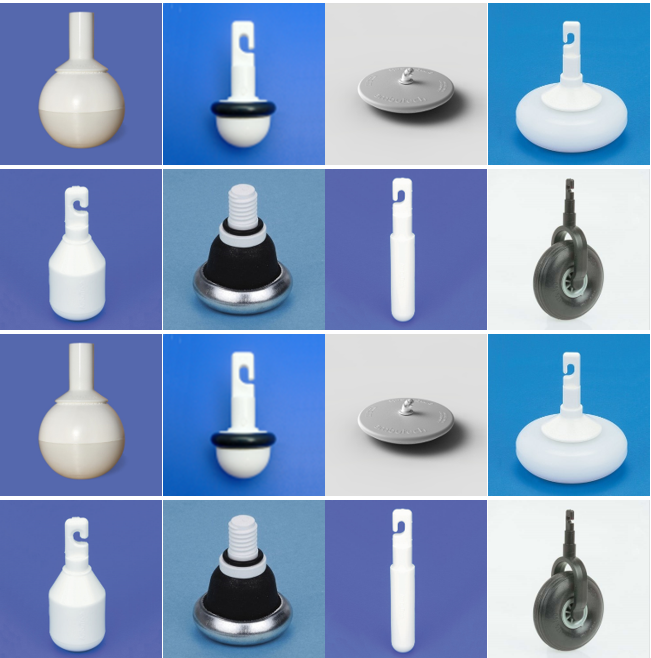
Different cane tips (ends)
Cane tips can be adapted depending on needs and environments. For example, some are designed for smoother gliding, while others provide more detailed surface feedback.
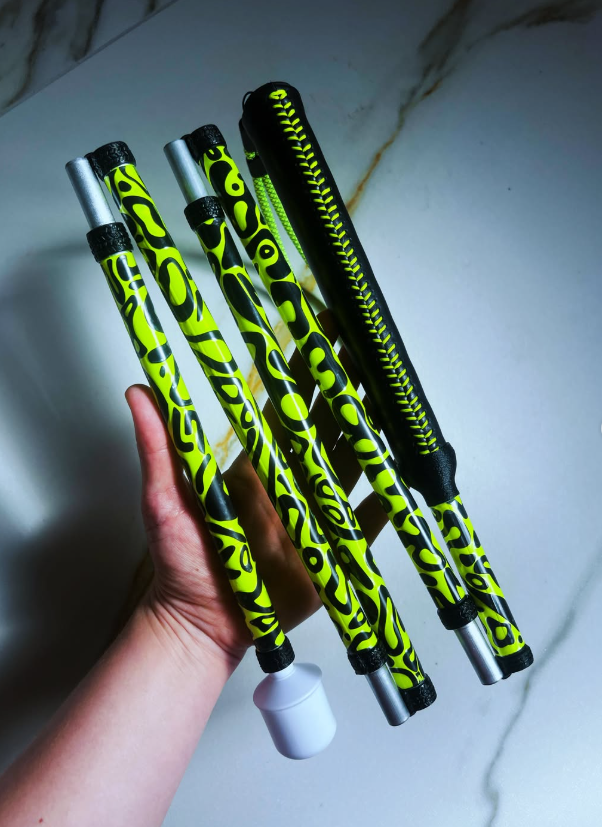
Personalising your cane
Many people choose to personalise their cane to reflect their personality, interests, or style. Some create their own designs using coloured tape, stickers, patterned wraps, or decorations, while others buy pre-designed canes or accessories that match their preferences. Personalisation can help a cane feel more individual and can encourage a sense of pride and confidence in using it. For some children, young people, and adults, having a cane that feels unique to them can make it a more positive and empowering part of everyday life.
Wearable technology and visibility tools
These are tools that are worn or carried and support safe movement, navigation, and awareness in different environments. They include both advanced technology and simple adaptations that can make a real difference when moving around.
Wearable smart technology
Devices such as smart glasses or wearable cameras can support navigation by providing audio feedback about the environment, such as identifying obstacles, reading signs, or giving contextual information. These technologies are constantly evolving, and what is available may change over time.
Wearable assistive devices
Some devices can be attached to glasses or clothing and provide real-time audio information to support navigation and environmental awareness.
Reflective bands or tape
Can be added to bags, coats, or mobility aids to improve visibility, particularly in low light or busy environments.
Clip-on lights or LED attachments
Small wearable lights that increase visibility when walking or travelling in darker environments.
High-contrast or brightly coloured accessories
Can help make mobility aids or personal items easier to locate quickly when out and about.

Getting the right mobility support
Support to choose the right cane and tip is really important. Organisations such as Guide Dogs UK offer guidance on selecting equipment, mobility training, and building confidence when moving around.
Local sensory support teams and charities can also:
- Provide mobility assessments
- Offer training and support
- Help identify the most suitable cane and techniques
This support is often just as important as the equipment itself.
If you’d like to learn more about how balance can affect mobility, visit our balance page for helpful tips, tools, and support.
Daily living and independence
There are many simple tools and adaptations that can support independence in everyday life at home. These can help with routines, safety, and building confidence over time.
What works best will depend on individual needs, preferences, and the home environment. Often, small changes can make a big difference.
Many of the tools and adaptations listed below are widely available to purchase online through retailers such as Amazon and other specialist disability equipment suppliers.
Kitchen and cooking
The kitchen is a great place to build independence, with the right setup and tools in place.
Liquid level indicator
Alerts you when a cup or container is nearly full, helping to avoid spills when making hot drinks.
Talking scales
Read out measurements, making cooking and baking more accessible.
Cooking thermometer (talking or accessible)
Helps check the temperature of food safely, which can be particularly important for young people building independence in the kitchen.
Talking timers
Useful for cooking and keeping track of time without relying on vision alone.
High-contrast utensils and surfaces
Can make food, tools, and work areas easier to see and use safely. For example, using white utensils on a white surface can make it very difficult to see the difference between items, whereas contrast can help things stand out more clearly.
Simple adaptations and everyday tools
Small, low-cost changes can have a big impact on independence at home.
Bump-on markers
Raised stickers used to identify buttons, switches, or appliance settings.
Tactile labels and organisers
Help with quickly locating and identifying items.
High-contrast markings
Can be added to objects or surfaces to improve visibility.
Tray or set “drop zone” for essentials
Keeping items like keys, phone, or travel cards in one consistent place reduces the need to search.
Phone settings for accessibility
Many smartphones already include built‑in accessibility features that can support both hearing and visual needs. These settings can make everyday tasks easier, from communication to safety and independence.
You don’t need to download anything to get started — small changes in your phone settings can make a big difference.
How to access them:
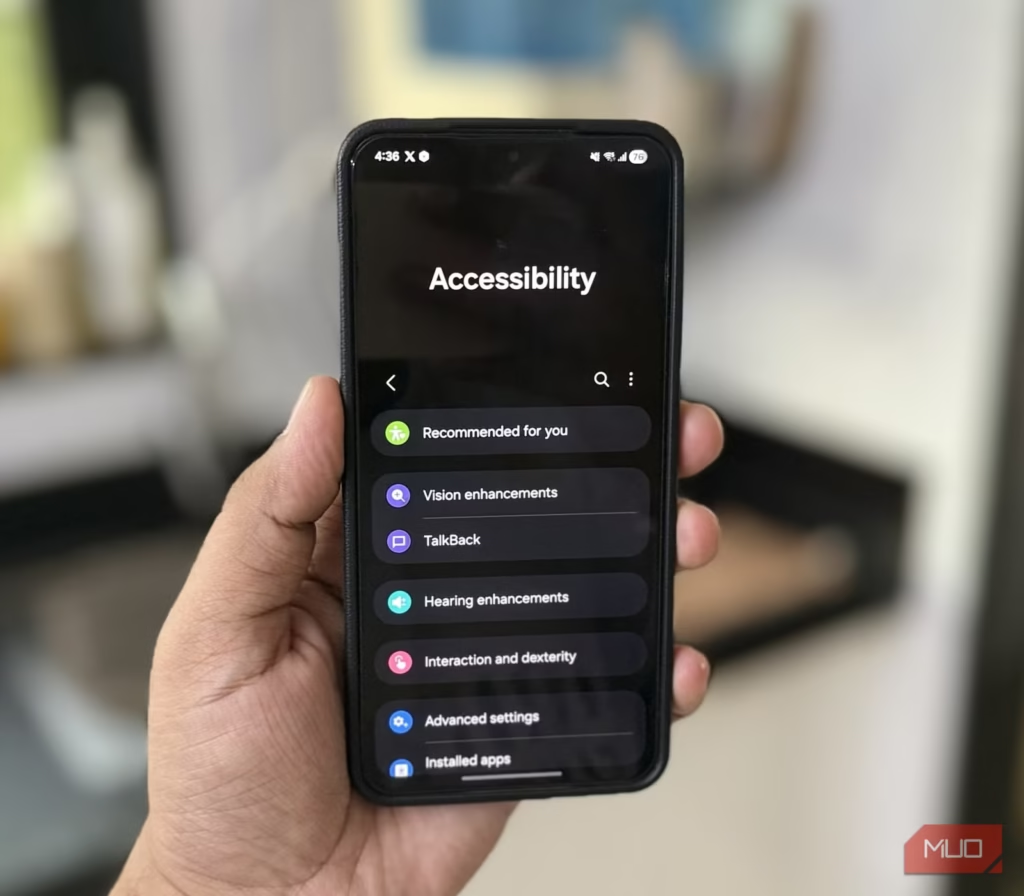
iPhone/iPad: Go to Settings > Accessibility
Android: Go to Settings > Accessibility (or search for “Accessibility” in Settings)
Visual support settings
These settings can help make your phone easier to see and use.
Display zoom and text size
Allows you to increase the size of text and icons, making them easier to read.
Bold text and contrast settings
Can make words stand out more clearly on screen.
Colour filters and adjustments
Useful for improving contrast or helping distinguish colours more easily.
Magnifier
Turns your phone into a digital magnifier to zoom in on text or objects in your environment.
Screen reader (e.g. VoiceOver / TalkBack)
Reads out what is on the screen, allowing you to navigate your phone using touch and audio.
Hearing support settings
These settings support access to sound, speech, and alerts.
Live captions / subtitles
Provide real-time captions for videos, audio, and sometimes phone calls.
Sound balance and audio adjustments
Allow you to adapt how sound is delivered through headphones or hearing devices. These can often be changed via your hearing device manufacturer’s app
Hearing device compatibility
Many phones can connect directly to hearing aids or cochlear implants. Many hearing aids and cochlear implants also have companion apps that allow users to adjust settings, change listening programmes, monitor battery levels and personalise sound preferences directly from their smartphone.
Background sound controls
Can help reduce or manage background noise when listening. These can often be changed via your hearing device manufacturer’s app
Alerts and notifications
These settings help ensure important notifications are noticed.
Vibration and haptic alerts
Strong or customised vibration patterns can help distinguish notifications.
Flash notifications
Use your phone’s camera flash or screen to visually indicate incoming calls or alerts.
Custom notification settings
Allows you to prioritise important contacts or apps so alerts are easier to identify.
Communication support
These features can make communication easier in different situations.
Speech-to-text / dictation
Converts spoken words into text for messages, notes, or searches.
Text-to-speech
Reads out messages, emails, or webpages.
Captioning during calls (where available)
Can provide live captions during phone conversations.
Navigation and safety
These settings support moving around safely and staying connected.
Location sharing
Allows you to share your location with trusted contacts when needed.
Emergency SOS
Quickly contacts emergency services and shares your location.
Maps accessibility features
Many navigation apps include voice guidance and accessible route options.
Home Technology and alerts
Home technology can support safety, communication, and independence by making the environment more accessible and responsive. These tools often work in the background and can provide reassurance for both children and families.
What works best will depend on your home, routines, and individual needs. Many people use a combination of simple and connected technology to create a setup that works for them.
Alerts and notifications
These systems help make sure important sounds and signals around the home are not missed.
Doorbell alerts (visual or vibrating)
Notify you when someone is at the door using flashing lights, vibration, or connected devices, often linking directly to your phone so you can receive alerts wherever you are in the home.
Fire and smoke alarms with visual alerts
Use flashing lights or linked systems to ensure alarms are accessible and noticeable. Many local Fire and Rescue Services can also provide specialist equipment, such as alarms connected to a vibrating pad placed under a pillow or mattress, which can alert you during the night when devices like cochlear implants or hearing aids are not worn off.
Phone and device alerts
Notifications for calls, messages, or apps can be adapted using vibration, light, or on-screen alerts.
Smart home technology
These tools help control and manage the home environment more easily.
Voice-controlled assistants
Can be used to set reminders, check the time, make calls, or control devices using speech.
Smart lighting
Allows lighting to be adjusted throughout the day to suit different environments and needs, including brightness and colour.
Remote or app-based controls
Devices such as heating, lights, or appliances can be controlled through phones or tablets.
If you are unable to find any of the apps, settings, or tools mentioned in this section, or would like further information and personalised recommendations, please feel free to contact us at info@usherkidsuk.org. Our team is happy to provide guidance and help you find the technology and accessibility tools that best meet your needs.
Stay in touch
We send out emails to keep people on our mailing list up to date with events, new resources and other services which we think are relevant to our community.